
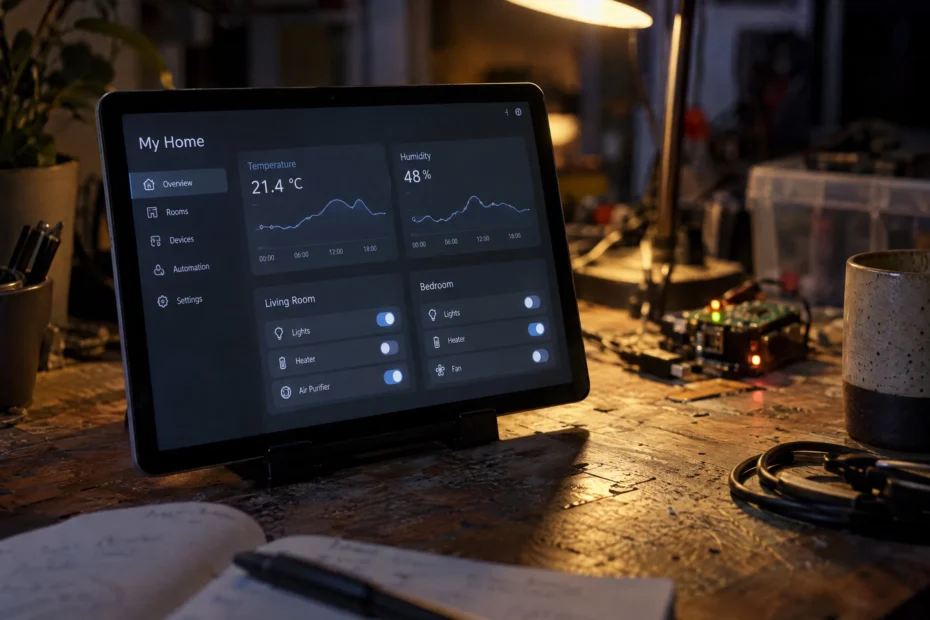
If you are anything like me, your desk is probably a bit of a disaster zone, cluttered with random stuff, notebooks, and spare screens that beep, blink, or stare back at you with varying degrees of digital intelligence. For a long time now, my desk tablet has been running the official Home Assistant app just to give me a static, uninspired window into my home automation setup. It worked, sure, but it always felt a bit like using a sports car to fetch the mail, overkill for just showing some temperatures and keeping an eye on my sons blood sugar levels, yet somehow lacking the deep integration you actually want from a piece of dedicated hardware.
Over on another wall in the house, I have leaned on Fully Kiosk Browser for years. It gets the job done, but deep down, running closed-source, paid software for basic home infrastructure always leaves a bit of an nasty taste in my mouth. When you spend your time building self-hosted services on Proxmox, containerising everything in Docker, and guarding your local network against unnecessary external telemetry, relying on a proprietary app with a pay walled license model feels like a glaring contradiction.
Then recently I stumbled across a neat open-source project called Kiosk Satellite on GitHub by Xavier Larrea, and I knew I had to pull down the APK and start tinkering.
Why Kiosk Satellite Stands Out
Kiosk Satellite is built from the ground up specifically for Home Assistant, which immediately sets it apart from generic browser wrappers or bloated official mobile clients. Over the last few days, I have been putting it through its paces on my desk tablet, a modest Samsung hardware setup running a clean, minimal dashboard dedicated to essentials: local ambient temperatures, quick office related toggles, and vital monitoring stats.
Getting it running on the local network is a smooth process. I have the tablet assigned a dedicated, static IP address on my router so I always know where to reach it without poking around device settings. Once you side load the APK, point the app toward your local Home Assistant instance using a long-lived access token, and it immediately connects. What makes this project truly shine for a home lab enthusiast is its uncompromising commitment to local control.
Instead of routing telemetry, voice commands, or device status through some random corporate cloud, Kiosk Satellite brings everything down to the metal on your local network. It features native voice control and local wake-word detection right on the device itself. You get local timers, audio announcements, and a voice satellite that keeps functioning even when the screen is dark or background listening is toggled. Even better, it exposes device sensors, screen controls, and parameter mappings directly via ESPHome, meaning your tablet integrates neatly into your existing local automation network as a first-class citizen without needing extra bloatware installed on your main server.
Tackling the Inevitable Tweaks: Battery Life and Motion
Of course, no new piece of software enters a home lab without a few quirks to iron out during the initial testing phase. My primary observation over the past few days has been around battery consumption on the desk unit. Running continuous camera polling at a higher default frame rate while keeping the screen powered on will chew through power faster than a standard static webpage viewer, especially if the tablet is relying on its internal battery management or sitting on a fluctuating power supply.
Fortunately, sorting that out is an absolute breeze thanks to the built-in remote administration web UI running right on port 2324. Because my desk tablet sits on a fixed local IP address, accessing that configuration page is friction-less, just pop the address into a browser on my main workstation, and I can tweak everything remotely without touching the screen. Through that web panel, dialling in your settings is straightforward:
- Throttling Motion Detection: Dropping the motion detection frame rate down to 1 fps and dialing in the sensitivity prevents the camera from burning CPU cycles on minor ambient lighting shifts.
- Killing Unused Background Services: Since I don’t use the wake-word engine at my desk, completely disabling background wake-word listening stops continuous local audio processing in the background.
- Automated Screen Timeouts: Setting up an automated screen timeout configuration ensures the display panel rests completely when I step away from the desk, while still waking up instantly the moment motion is detected again.
The Verdict on Open-Source Kiosk
While my communal wall tablet is still running its older setup for now, mostly because it is mounted out of sight and out of mind, replacing it with an open-source solution like Kiosk Satellite is definitely on the horizon.
Finding a free, privacy-respecting alternative to proprietary kiosk apps feels like a massive win for anyone trying to keep their home lab clean, independent, and entirely self-hosted. It turns a tired old Android tablet into an active, intelligent participant in the local ecosystem instead of a glorified digital picture frame tethered to a corporate license key. Between remote camera access and the sensors exposed to Home Assistant via ESPHome, including screen power states that let me automate the display based on whether my main computer is switched on or off, it offers incredible flexibility. If you are running Home Assistant, value your digital privacy, and have a spare tablet gathering dust in a drawer, it is well worth grabbing the APK and giving it a spin.